3. Developer and System Messages
In this lesson, we will learn how to customize our requests to receive all responses from OpenAI in Spanish.
Developer and System Messages Overview
In our previous interactions with the OpenAI API, we primarily focused on the last message in the messages parameter, specifically the one from the user role containing the prompt. This approach overlooked the initial message designated as developer, which has been set to "you are a helpful assistant." We will adjust this developer message to instruct the model to respond in Spanish.
Understanding Developer and System Messages
According to the API reference, developer messages dictate instructions that the model must adhere to irrespective of the user's input. This ensures the model consistently follows specified guidelines.
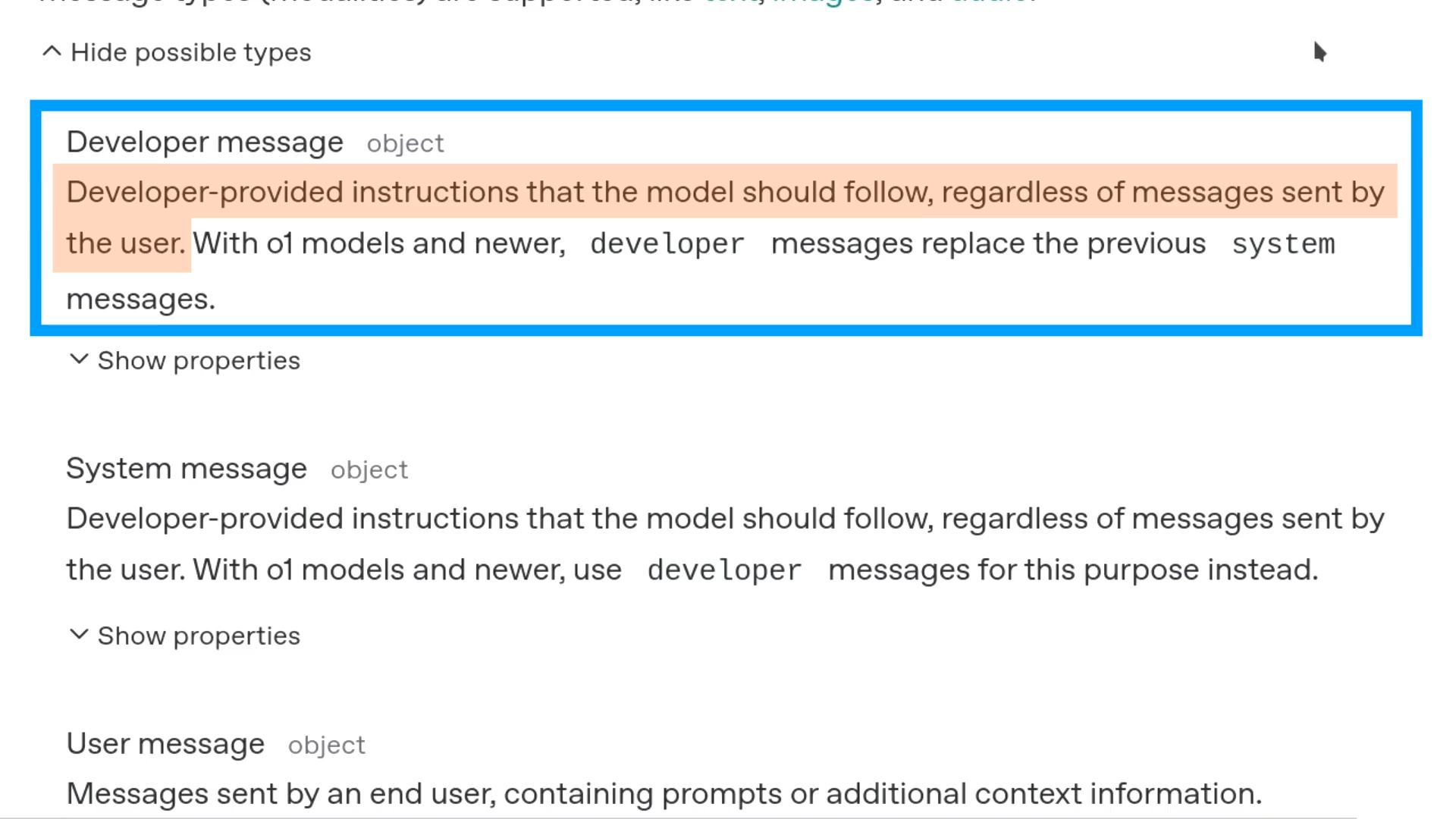
The system messages apply to models such as gpt-4o and gpt-4o-mini, while models from o1 onward utilize developer messages.
Link: https://platform.openai.com/docs/api-reference/chat
Modifying the Developer Instruction
To ensure our model replies in Spanish, we will update the developer message in the /home/tony/chatgpt-emacs/request.json file to state, "Reply in Spanish":
{
  "model": "gpt-4o",
  "messages": [
    {
      "role": "developer",
      "content": "Reply in Spanish."
    },
    {
      "role": "user",
      "content": "Hello!"
    }
  ]
}
API Request and Response
Upon submitting this request to the OpenAI API, we receive a response in Spanish:
{
  ...
  "choices": [
    {
      "index": 0,
      "message": {
        "role": "assistant",
        "content": "¡Hola! ¿Cómo puedo ayudarte hoy?",
        "refusal": null
      },
      ...
    }
  ],
  ...
}
This implementation clearly illustrates how modifying the developer message influences the model's output, enabling consistent bilingual responses.
Replying in Spanish with More Constraints
We successfully configured the gpt-4o model to respond in Spanish by modifying the optional developer message. Although it can be omitted in requests, we will enhance it now by introducing additional constraints without conducting a tutorial on prompting.
Initially, we change the developer message to "Reply in Spanish with at least three sentences," resulting in the following JSON request:
{
  "model": "gpt-4o",
  "messages": [
    {
      "role": "developer",
      "content": "Reply in Spanish with at least 3 sentences."
    },
    {
      "role": "user",
      "content": "Hello!"
    }
  ]
}
The response generated met our criteria, providing three sentences as requested:
{
  ...
  "choices": [
    {
      "index": 0,
      "message": {
        "role": "assistant",
        "content": "¡Hola! ¿Cómo estás? Espero que estés
teniendo un buen día. Si necesitas ayuda con algo o quie
res hablar sobre un tema en específico, estaré aquí para
ayudarte.",
        "refusal": null
      },
      ...
    }
  ],
  ...
}
Next, we introduce a new constraint specifying that we want the response in a list format. We update the developer message to "Reply in Spanish with at least three sentences in a list format" and submit the request:
{
  "model": "gpt-4o",
  "messages": [
    {
      "role": "developer",
      "content": "Reply in Spanish with at least 3 sentences
in a list format."
    },
    {
      "role": "user",
      "content": "Hello!"
    }
  ]
}
The response generated has been formatted as requested:
{
  ...
  "choices": [
    {
      "index": 0,
      "message": {
        "role": "assistant",
        "content": "¡Hola!\n\n1. Espero que estés teniendo
un buen día. \n2. Si tienes alguna pregunta o necesitas ay
uda con algo, no dudes en decírmelo.\n3. Estoy aquí para a
yudarte en lo que necesites.",
        "refusal": null
      },
      ...
    }
  ],
  ...
}
In our next discussion, we will explore how to use assistant messages in the request data to facilitate multi-turn conversations.