1. First Request to OpenAI Using the Chat Completion API
Welcome to the first lesson of the ChatGPT Emacs course. In this lesson, we will send our first request to OpenAI using the Chat Completion API, replicating the process of interacting with ChatGPT from the command line.
To illustrate, when we visit chatgpt.com and type "Hello!", we receive a reply saying, "Hey there, how is it going?"
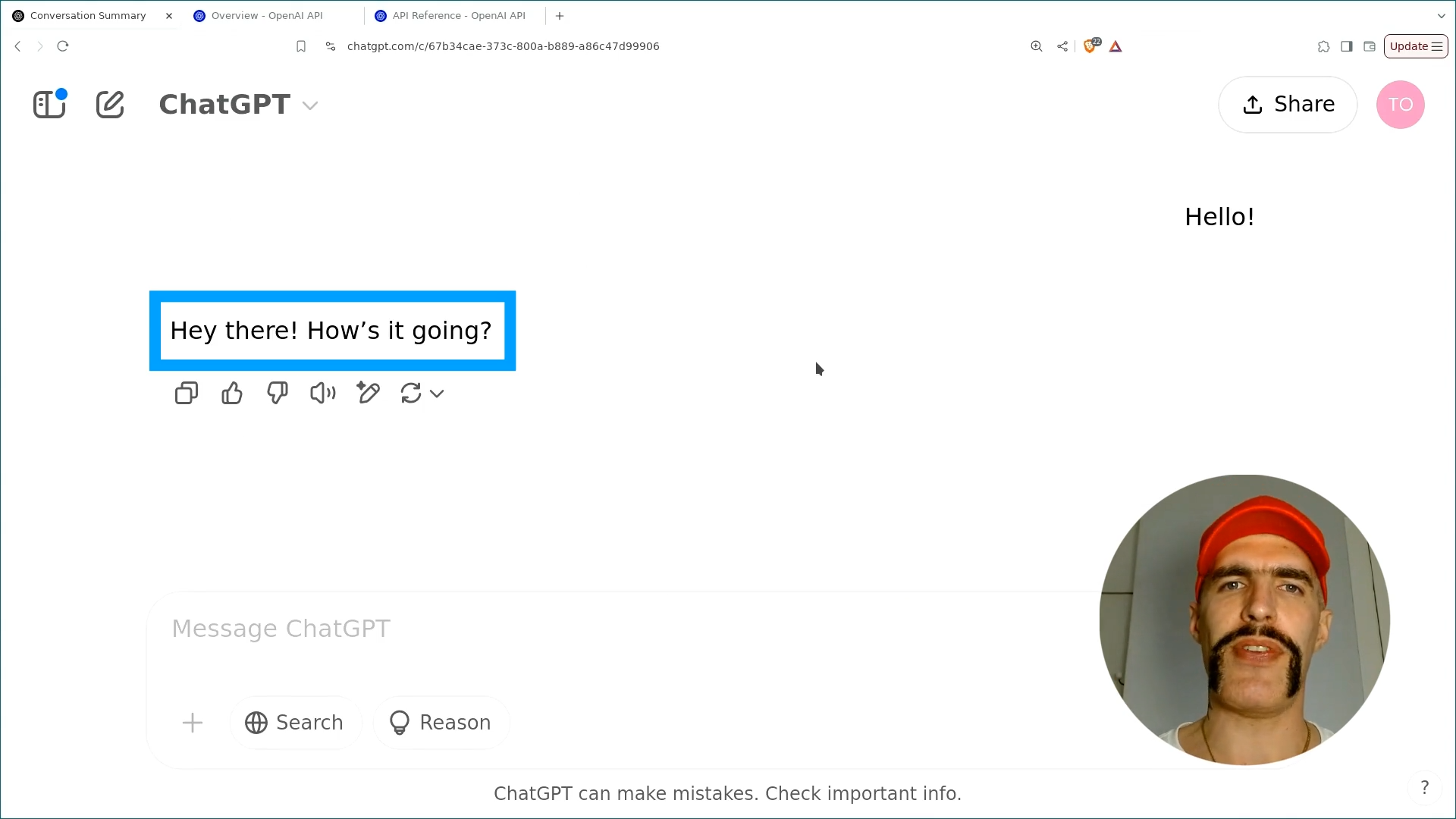
Now, we will learn how to achieve this interaction using the curl command in the terminal. Let's get started.
Link: https://chatgpt.com
Adding funds to Your credit balance on OpenAI Developer Platform
To add funds to your credit balance on the OpenAI Developer Platform, follow these steps:
-
Account Access: If you already have an account on chatgpt.com, you can use the same credentials to log in. If not, create a new account on the platform.
-
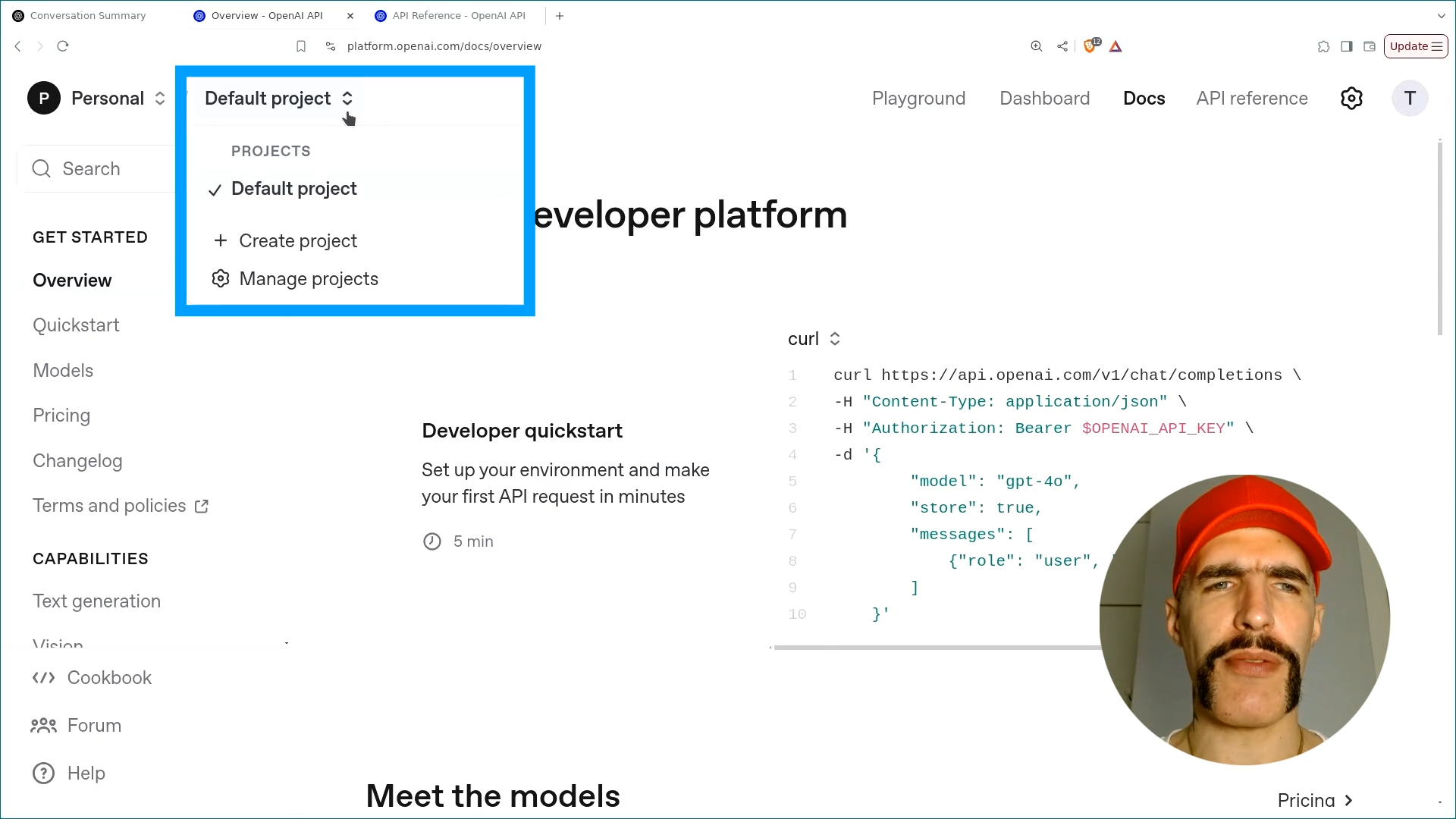
Navigating Projects: Once logged in, click on your current project in the top left corner.
-
Manage Projects: From the dropdown menu, select
Manage Projects.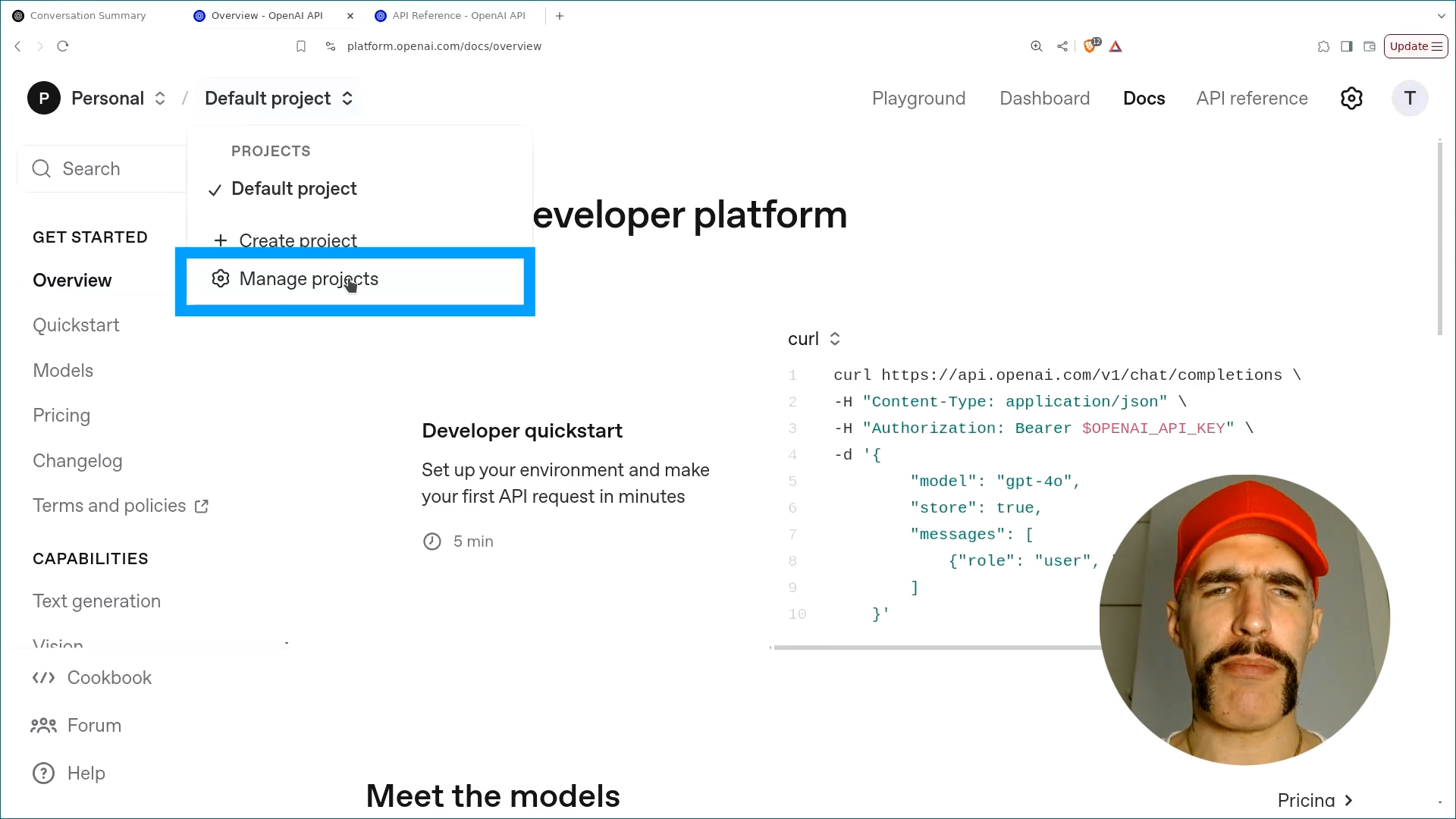
-
Go to Billing: In the sidebar on the left, click on
Billingto access the credit balance management page. -
Add to Credit Balance: Click on
Add to Credit Balance.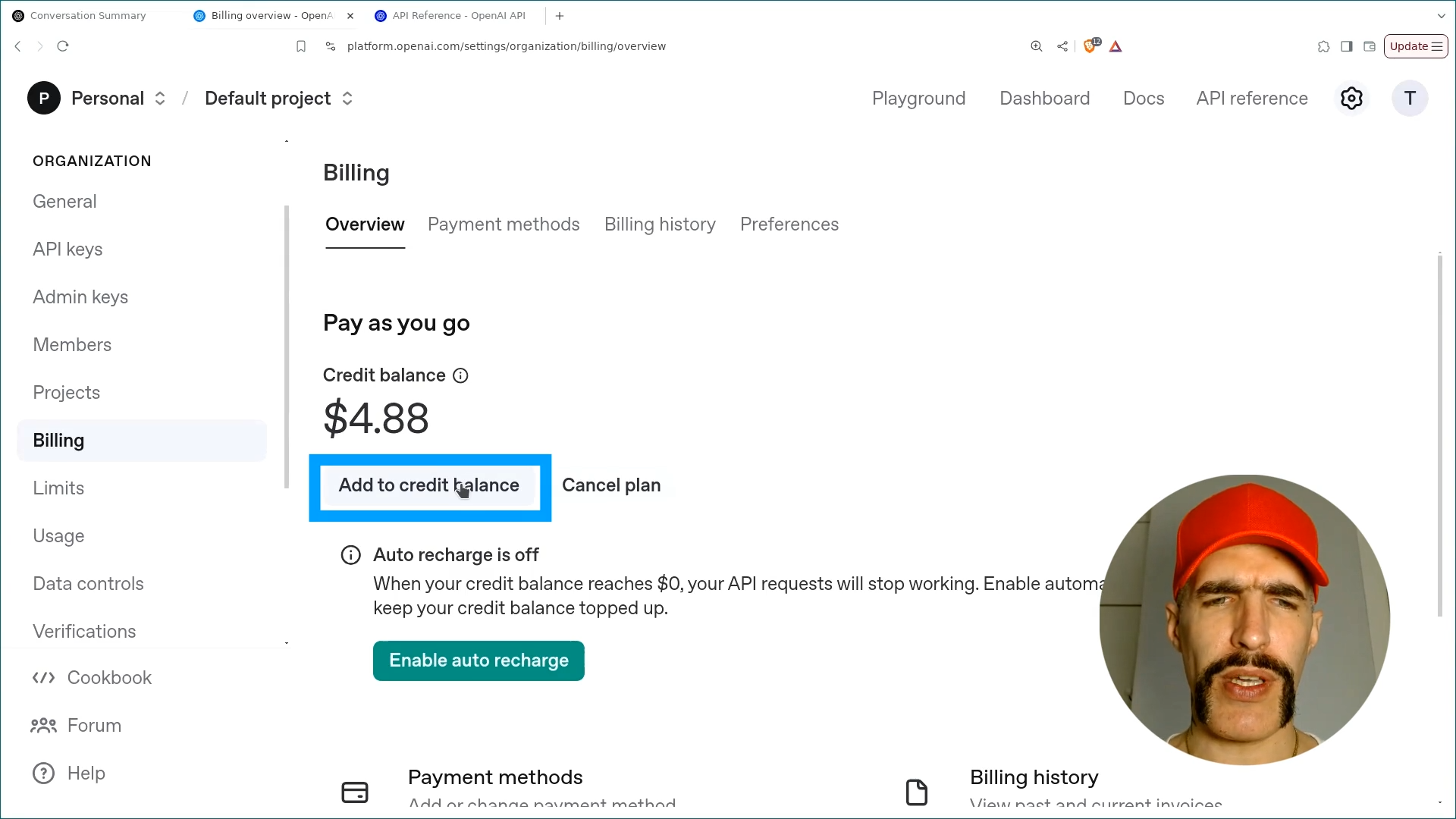
-
Input Payment Details: A recommended starting amount is $5, which is sufficient for the entire course; you will spend less than $0.10 throughout. Enter your payment details and click
Continue.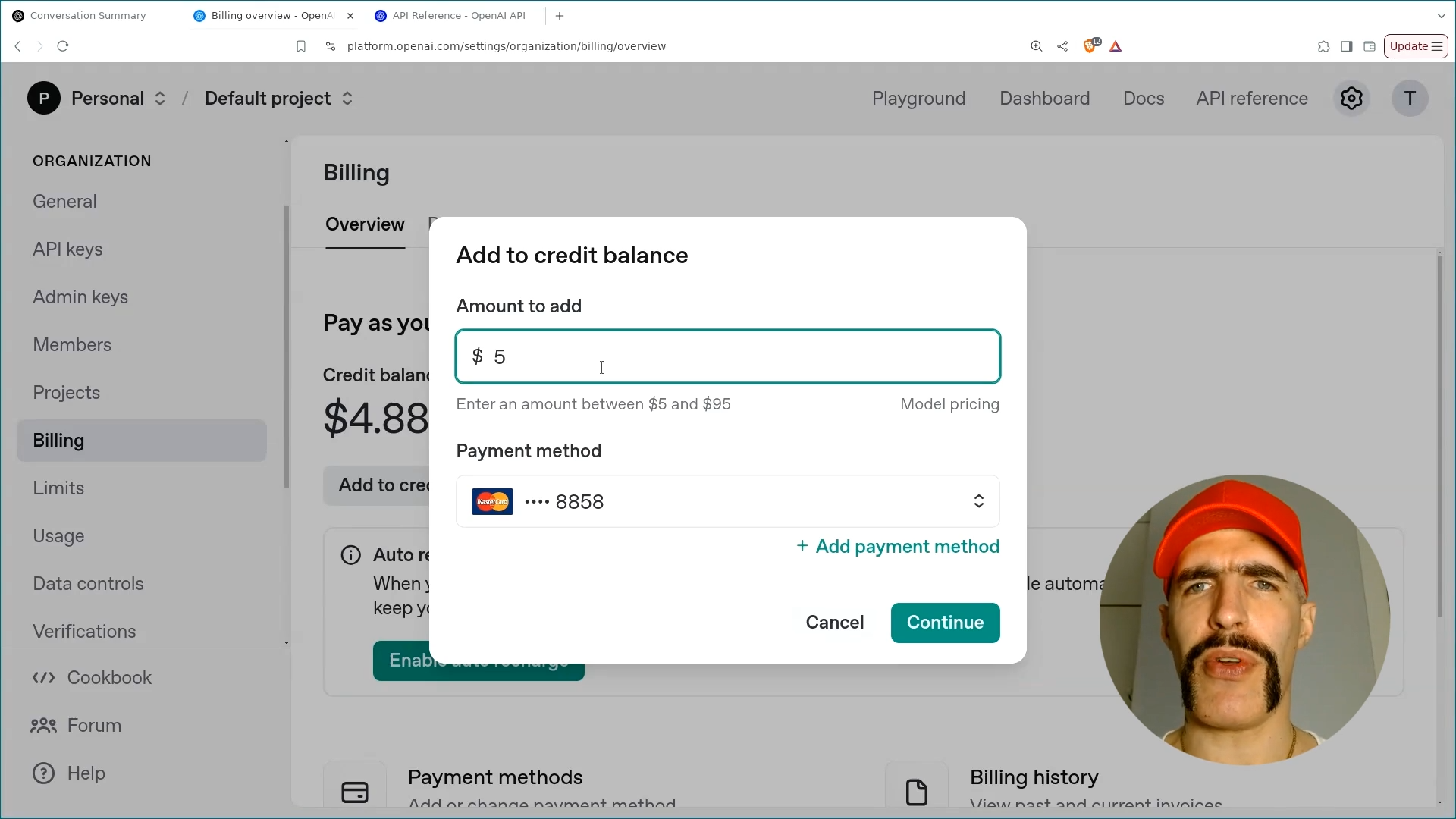
By following these steps, you can easily fund your credit balance for API calls.
Link: https://platform.openai.com
Creating an API Key on OpenAI Developer Platform
With sufficient funds in your credit balance, you can proceed to generate an API key.
-
Access the Dashboard: Navigate to the OpenAI Developer Platform and click on the
Dashboardtab located at the top.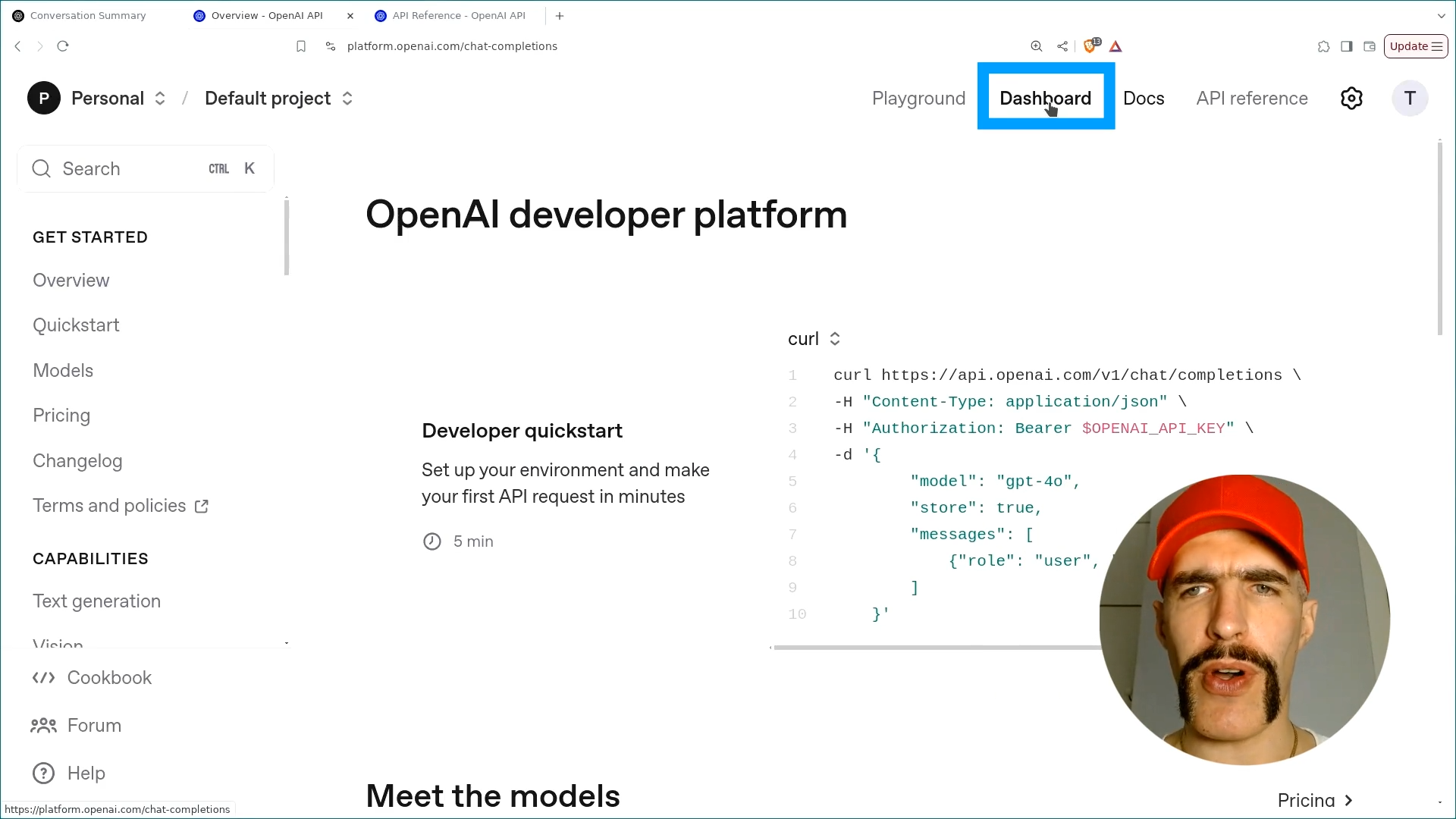
-
Open API Keys Menu: On the sidebar, select the
API Keysoption.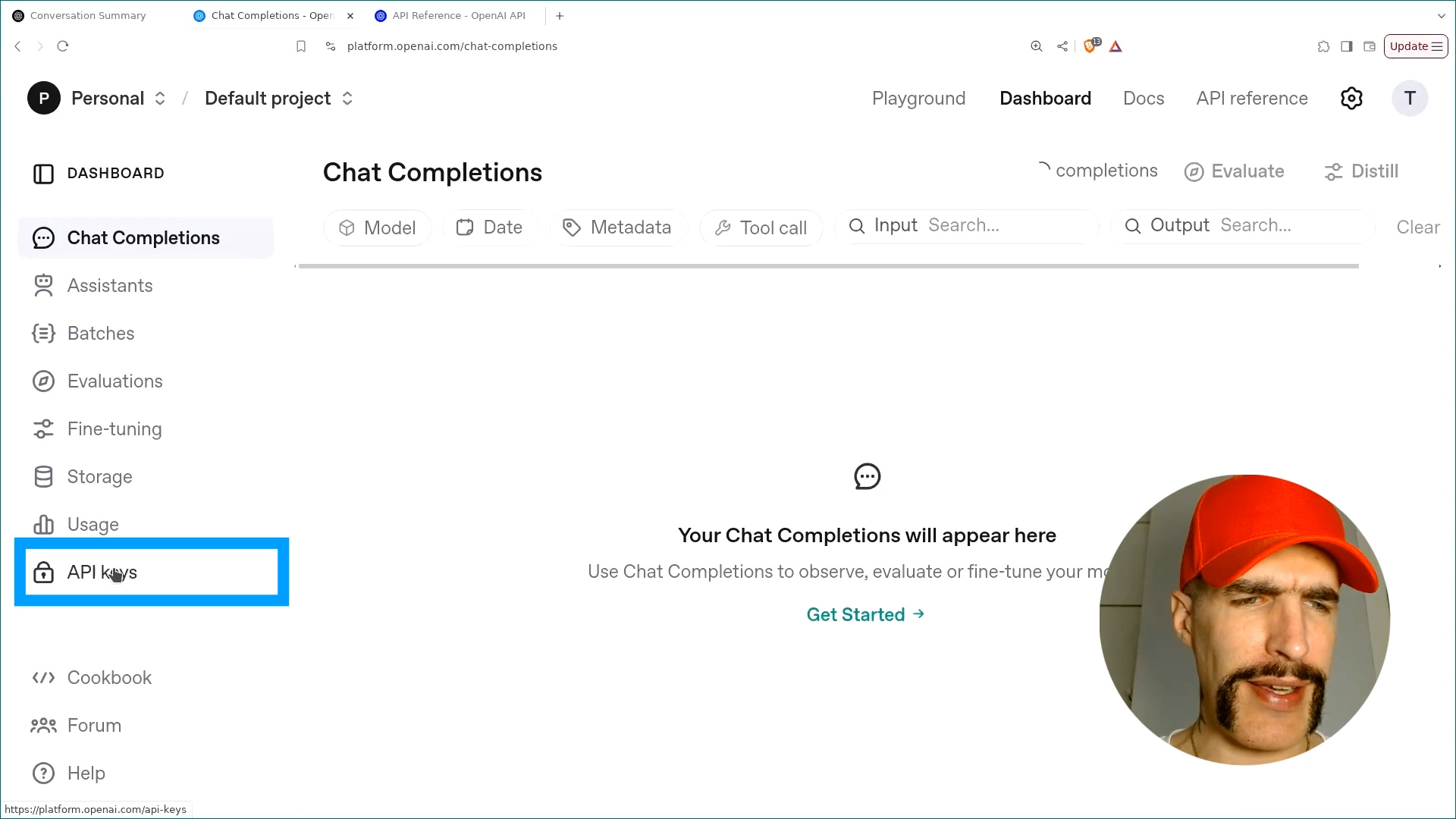
-
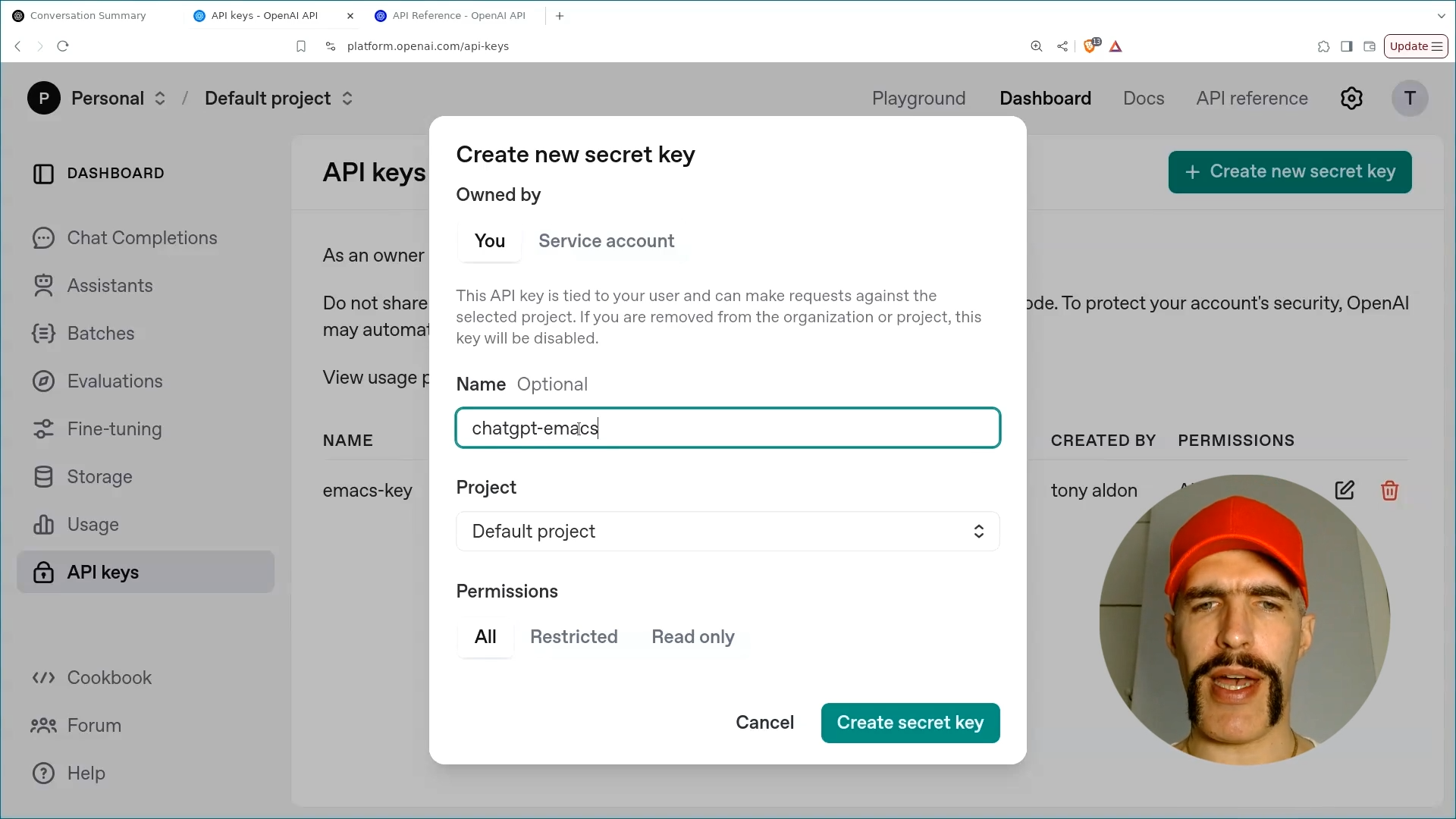
Create New API Key: You will now see the option to create new API keys as well as view existing ones. Click on the option to create a new secret key. Name this key according to your project; for example, use
chatgpt-emacs.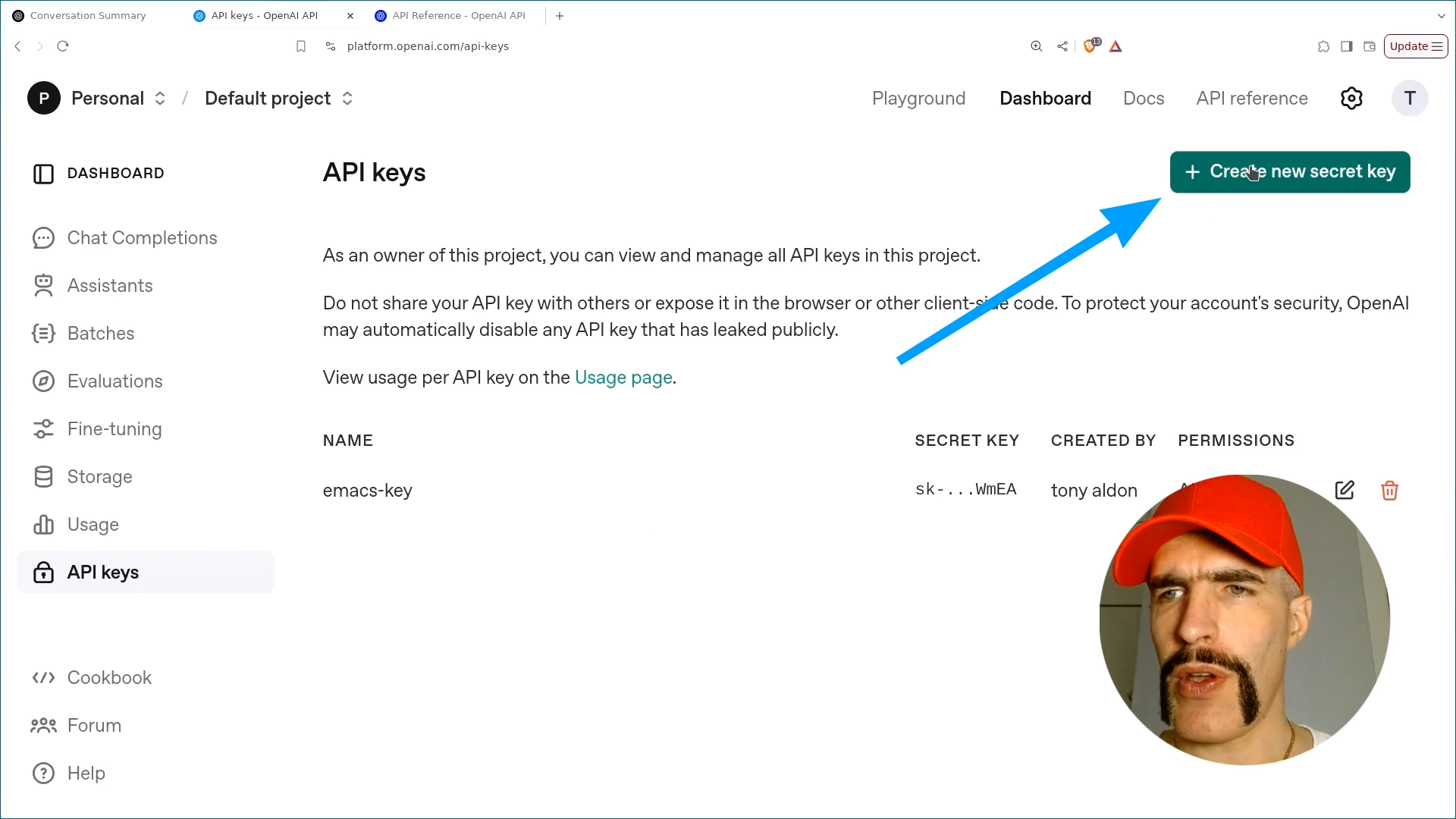
-
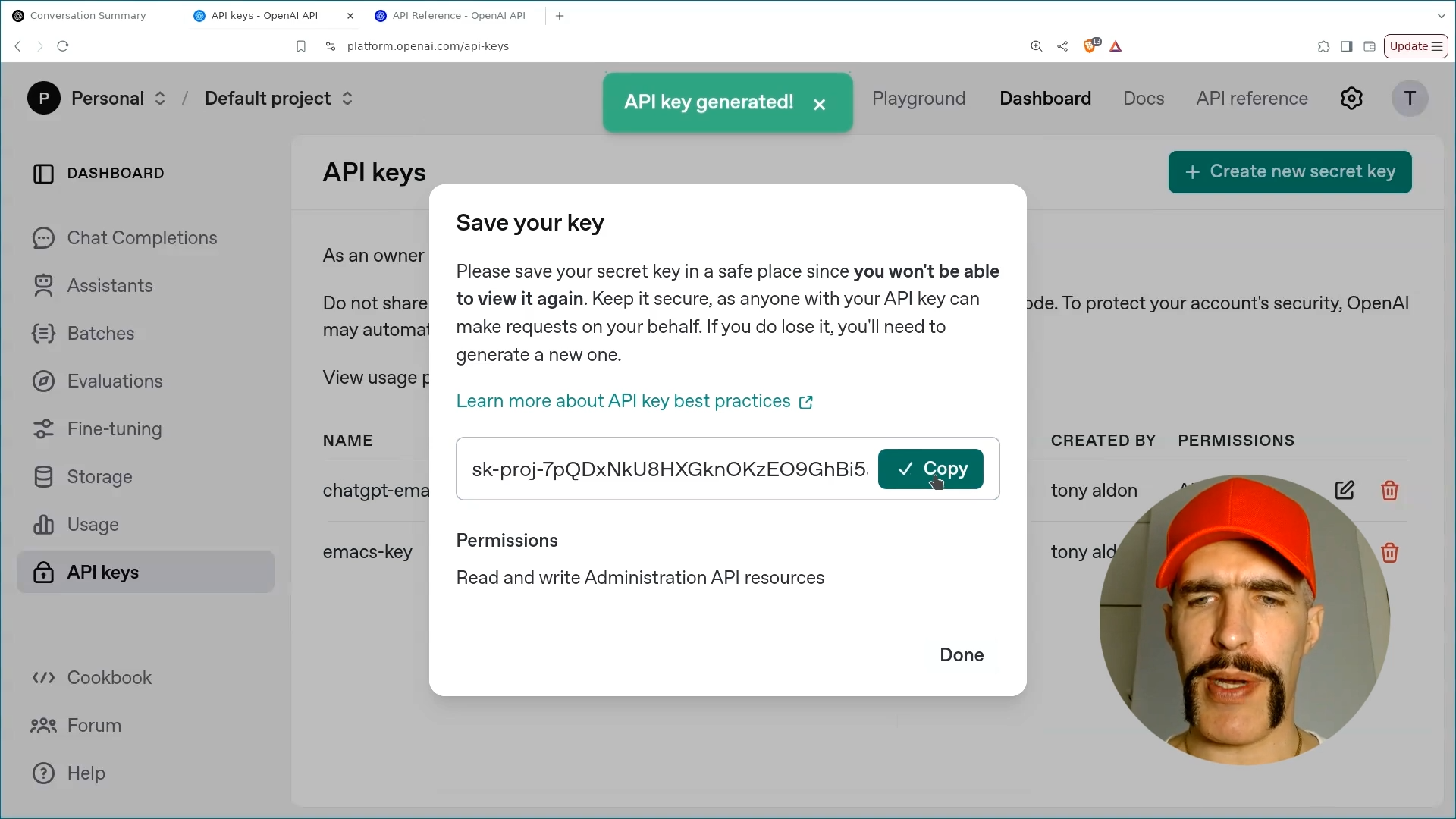
Copy the API Key: After the API key is generated, copy it for use in your project:
Make sure to store this API key securely and avoid sharing it publicly.
First Request to OpenAI Using the Chat Completion API
With our API key generated, we can now send requests to OpenAI. In this section, we will send the prompt "Hello!" and receive a response via the terminal using curl.
Referencing the Chat Completion API documentation, we will modify the default curl request (non-streaming) by substituting $OPENAI_API_KEY with our actual API key:
curl https://api.openai.com/v1/chat/completions \
  -H "Content-Type: application/json" \
  -H "Authorization: Bearer sk-proj-7pQDxN...w-D40A" \
  -d '{
    "model": "gpt-4o",
    "messages": [
      {
        "role": "developer",
        "content": "You are a helpful assistant."
      },
      {
        "role": "user",
        "content": "Hello!"
      }
    ]
  }'
The -d option sends a JSON object containing two required parameters: model and messages. In this case, we use the gpt-4o model, and the messages array includes our prompt "Hello!".
The messages array contains two entries: one with the role developer and another with the role user with the content "Hello!".
Upon executing the request, we receive the following JSON response from OpenAI:
{
  "id": "chatcmpl-B2ENfnqI4JikQY1bE34dNmhPR0OnF",
  "object": "chat.completion",
  "created": 1739871635,
  "model": "gpt-4o-2024-08-06",
  "choices": [
    {
      "index": 0,
      "message": {
        "role": "assistant",
        "content": "Hello! How can I assist you today?",
        "refusal": null
      },
      "logprobs": null,
      "finish_reason": "stop"
    }
  ],
  "usage": {
    "prompt_tokens": 19,
    "completion_tokens": 10,
    "total_tokens": 29,
    "prompt_tokens_details": {
      "cached_tokens": 0,
      "audio_tokens": 0
    },
    "completion_tokens_details": {
      "reasoning_tokens": 0,
      "audio_tokens": 0,
      "accepted_prediction_tokens": 0,
      "rejected_prediction_tokens": 0
    }
  },
  "service_tier": "default",
  "system_fingerprint": "fp_523b9b6e5f"
}
This response contains details such as the completion ID, the model used, and the message generated by the assistant, along with usage statistics regarding token counts.
Specifically, the choices field in the response reveals the assistant's reply: "Hello! How can I assist you today?"
This concludes our first lesson in the ChatGPT Emacs course. In upcoming lessons, we will delve deeper into the Chat Completion API, focusing on the streaming API and various message types that can be included in requests.